

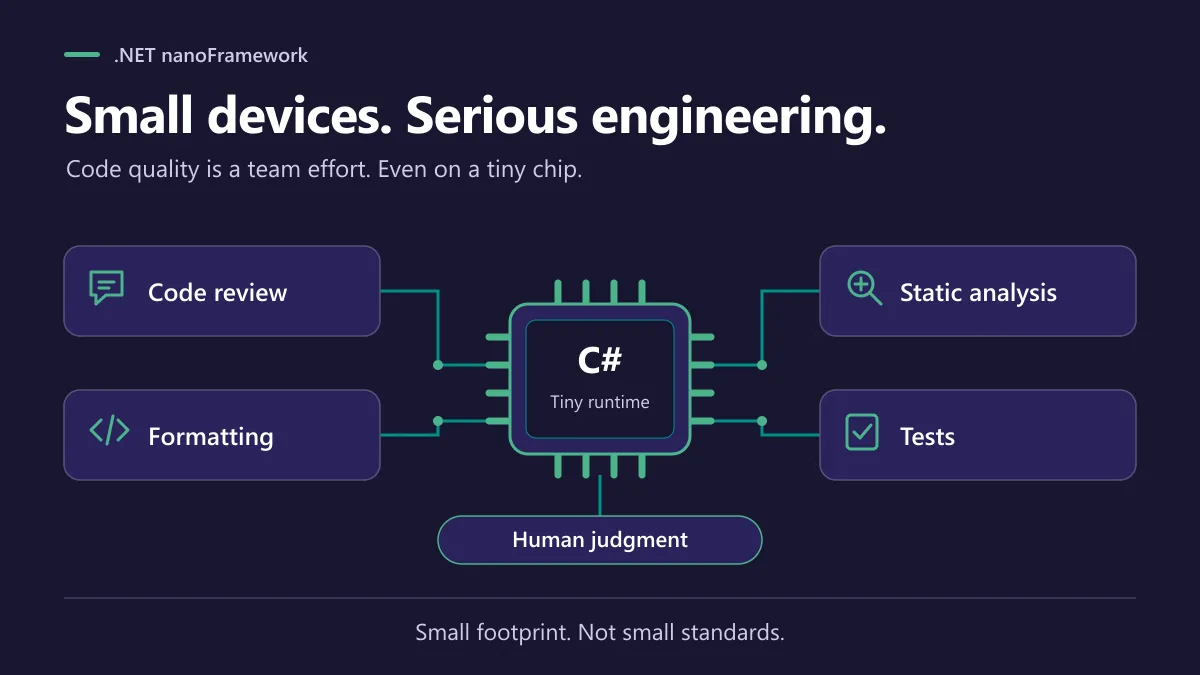
We’re kicking off a series of eight blog posts on the engineering fundamentals behind .NET nanoFramework: the practices that help small devices run software you can trust. First up: code quality, and how reviews, automation and human judgment work together.
A microcontroller is tiny. The bug that lands on it? Not always. 😅
A device that silently stops reporting, drops its network connection or misreads a sensor is rarely sitting on your desk. It’s in a cabinet, a field or a ceiling. Fixing it there can be a lot more painful than fixing it in an editor.
That’s why code quality matters long before anything ships. And it’s one of the things that makes .NET nanoFramework more than “C# on a small chip”. Together, review, automation, analysis and tests form a combination you don’t find everywhere in the open-source embedded world.
Code review is a conversation, not a gate
A good pull request does more than move code around. It’s where people ask the uncomfortable questions. What happens when memory runs out? Is this API consistent with the rest of the library? Will it break someone’s existing application?
The project’s contribution guidelines set the expectations, and the discussions happen in public. Maintainers review, community members chime in, and the reasoning stays visible. Six months later, when someone wonders why a method behaves the way it does, the answer is sitting right there in the PR. Priceless.
This matters even more in embedded work. Managed code, native code and board-specific behavior all meet in the same place. A change that looks perfectly innocent in one layer can bite in another. More eyes help. And some of those new pairs of eyes aren’t human: AI reviewers like GitHub Copilot and CodeRabbit can flag issues in a PR within minutes, so the human reviewers can spend their time on the hard questions. The interpreter repository even carries a CodeRabbit configuration. 🐇
Let the robots do the boring part 🤖
Reviewers should spend their energy on behavior and design. Not on arguing about indentation.
So the native interpreter repository ships a C/C++ formatting configuration, and the documentation repository has Markdown lint rules. Different tools, same idea: consistent contributions are easier to read, and easier to trust.
Formatting isn’t analysis though. The shared class-library build template also plugs in SonarCloud and publishes the quality-gate result. Static analysis is great at spotting suspicious patterns, duplicated code and maintainability smells before they turn into real problems. You can see it in action in the logging library’s pipeline, which sets a SonarCloud project and runs unit tests through the same shared template.
Then there are the small, very practical checks. Lessons learned get turned into automation, so nobody has to remember them:
- Every PR triggers a build.
- A shared file-checks template rejects stray
app.configfiles in a PR. - nanovc fails the build when package versions drift apart (more on that in the CI/CD post).
- A failed build gets reported to Discord by a shared template, so it doesn’t sit unnoticed.
The native side gets the same care. A POSIX nanoCLR workflow builds several platform variants and runs a smoke test when the runner can execute the binary. A dev container smoke test builds selected firmware targets whenever the container definitions change.
That’s a lot of automation in a few paragraphs. We’ll unpack how these checks fit together in the CI/CD post later in this series.
The magic is in the combination
Let’s be honest about what this is and isn’t. Not every repository has identical checks. Not every warning is a bug. A green quality gate doesn’t prove your code is correct, and no tool can tell you whether a retry policy makes sense for a battery-powered device.
But put it all together and something nice happens. Consistent formatting makes changes easier to review. Analysis raises questions. Tests check behavior. Humans weigh the trade-offs. Each piece covers for the weaknesses of the others.
Tests deserve a special mention, because they change how bugs get fixed. The CoreLibrary, home of mscorlib, has thousands of unit tests: more than 2,500 test methods at the time of writing, plus parameterized rows on top. And the habit is simple: when a bug is fixed, it gets a new test, even for a tiny edge case. That bug can’t sneak back in unnoticed. Do that for years and quality only goes one way. For code that must run on real hardware, the shared pipelines can also flash actual devices and run tests on them, through a device-test template. The testing post of this series goes deeper.
Many embedded platforms give you a runtime and wish you luck with the rest. Here, review, automation and analysis come with the ecosystem. Fewer avoidable distractions, more visible decisions, a better base for software that has to live for years.
This first post is the big picture. In the rest of our eight-part series, we’ll dig into many of these practices, from build pipelines to tests on real hardware, and show how they work in practice.
Small footprint should describe the runtime, not the engineering effort behind it.
© Laurent Ellerbach. This post is licensed underCC BY-ND 4.0: you may share it unchanged, with credit and a link back. To adapt or translate it, ask the author first.
Comments
Comments are powered by GitHub Discussions. Sign in with GitHub to join in. By commenting, you agree to publish your comment under CC BY 4.0.