

So far, we’ve explored code quality, developer experience, repeatable builds and releases, and security foundations. In this fifth article, we’re looking at the tests that turn those practices into evidence: what your logic does, and how it behaves on a real device.
“It compiles” is a lovely feeling. It’s also a terrible quality metric. 😄
A sensor driver can compute the right value and still fail to talk to the real sensor. A network routine can pass the happy path and fall apart when the connection drops. In embedded work, confidence comes from tests at different levels, including some that run where your code will actually live.
Unit tests: assumptions you can run
The nanoFramework.TestFramework provides test attributes, assertions, a test launcher and a Visual Studio test adapter. In short, you write expectations once and check them again after every change.
Think of a message parser. Accepting a valid message is the easy part. What about an empty one? A truncated payload? A boundary value? Written as tests, those answers don’t get forgotten during the next refactoring.
Parameterized tests help a lot. The VS Code extension like the Visual Studio extension both support DataRow, so several inputs can drive the same test without copying it. The goal isn’t a bigger test count to brag about. It’s a clearer description of how the code should behave.
And one more thing, the unit tests also works in pipelines and on all arm64 and win64 platforms: Windows, MacOS and Linux!
Same family as the .NET tests you know 🤝
The test platform wasn’t invented in a corner. The project documentation goes more into details and it has all the benefits you’re used to with the Microsoft test platform for .NET, or xUnit. In practice, you decorate classes and methods with [TestClass] and [TestMethod], you use Assert functions, and the tests show up in the usual test explorer. Under the hood, the Visual Studio integration is a test adapter for the Visual Studio Test platform. The story of how it was built on the Microsoft .NET blog explains that part, and it’s the same machinery a pipeline uses to run the tests from the command line.
The payoff is practical. When some code is shared between nanoFramework and regular .NET, a protocol parser or a sensor calculation for example, the tests for that shared code can be shared too. Write them once, run them in both worlds. nanoFramework’s assertion API aligns with MSTest, including Assert.AreEqual and Assert.IsTrue, so there’s no need for conditional compilation just to switch those assertion names. Shared test logic and familiar assertions can stay the same.
One bug, one test, never again 📈
The test framework arrived in 2021, and the article about building it explains what is behind. It changed how the platform’s own code gets maintained.
The habit is simple. When a bug is found, it’s fixed and it gets a new unit test. Even a very tiny edge case gets its own test. Once that test exists, the same bug can’t quietly come back, because the pipeline would catch it. Do that for years and the quality only goes one way: up ☝🏻. Each fixed problem becomes a permanent guard.
You can see it in the numbers. The CoreLibrary, where mscorlib lives, has thousands of unit tests: a count of the repository finds more than 2,500 test methods and most are not just testing one elements but multiple ones, plus parameterized data rows on top. The JSON library is a nice smaller example, with over 100 test methods and well over a hundred data rows. Bugs are still found there from time to time, which is normal for any software. But they’re far rarer than they used to be, and every one that does show up gets its own test. And the ones found are very narrow edge cases, nothing broad anymore.
Tests don’t prove there are no bugs, of course. “Rare” isn’t “never”. But a growing safety net is exactly what lets maintainers change code with confidence.
Feedback you actually use
Tests that need an awkward manual procedure get postponed. Tests that sit in the editor’s own test workflow get run. The Visual Studio integration supports that editor workflow, and the VS Code extension runs test discovery, results and execution through Test Explorer.
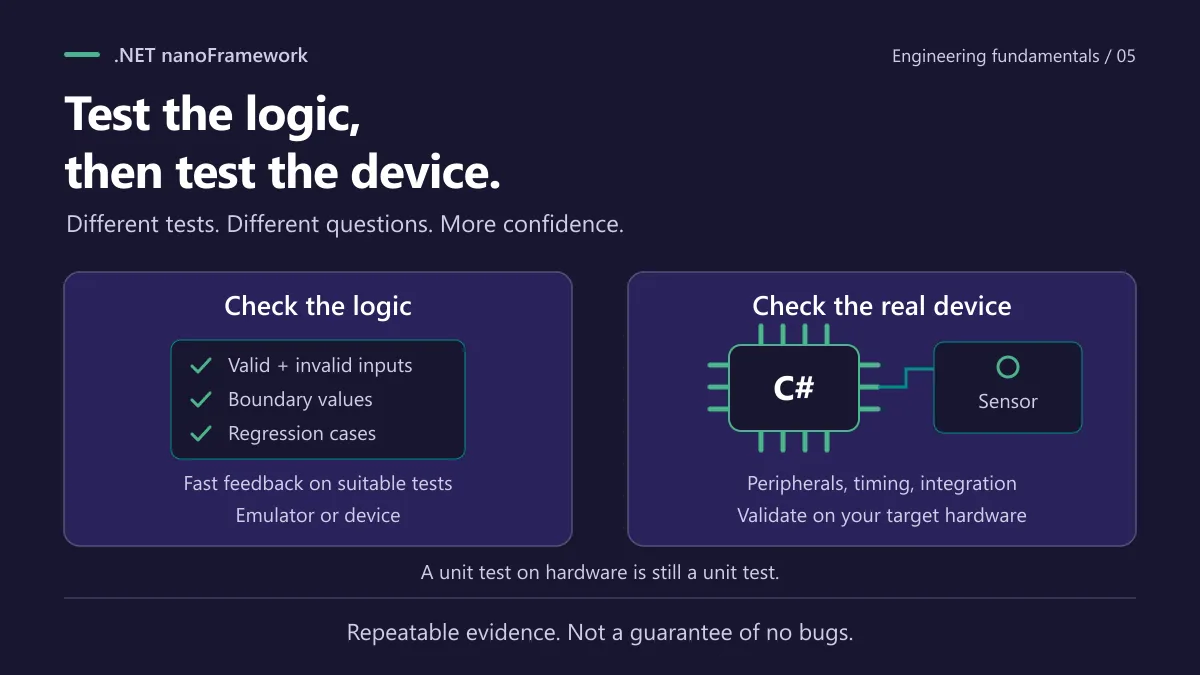
Two ways to run: on the nanoCLR emulator, and on a physical device. They answer different questions. The emulator gives quick feedback on suitable tests without requiring any specific hardware element like GPIO. The device reveals target-specific behavior. And no emulator can tell you whether your wiring, your peripheral driver or your timing works on the final board. Only the board can. 🔌
Running on hardware isn’t automatically integration testing
A pure calculation is still a unit test, even when the CPU running it is a microcontroller. Integration tests deliberately cross boundaries: managed code calling native code, a driver talking to a peripheral, an application exchanging messages with a service.
The shared pipelines include a unit-test template and a device-test template. The second selects agents by target and flashes real devices before running tests, so hardware testing is concrete infrastructure, not just a good intention. It doesn’t mean every library and board has identical integration coverage, of course.
What it means for your project
Many ecosystems leave you to build your own harness and read results from a serial console. Here you start with a framework and execution paths that make tests repeatable.
You’ll still need your own system tests: flaky networks, power cuts, bad configuration, long runs, resource exhaustion. Follow your product’s risks. The framework just makes it much easier to run those checks again and again.
The goal isn’t code that worked once. It’s a growing pile of evidence that the behavior you depend on still works.
© Laurent Ellerbach. This post is licensed underCC BY-ND 4.0: you may share it unchanged, with credit and a link back. To adapt or translate it, ask the author first.
Comments
Comments are powered by GitHub Discussions. Sign in with GitHub to join in. By commenting, you agree to publish your comment under CC BY 4.0.